

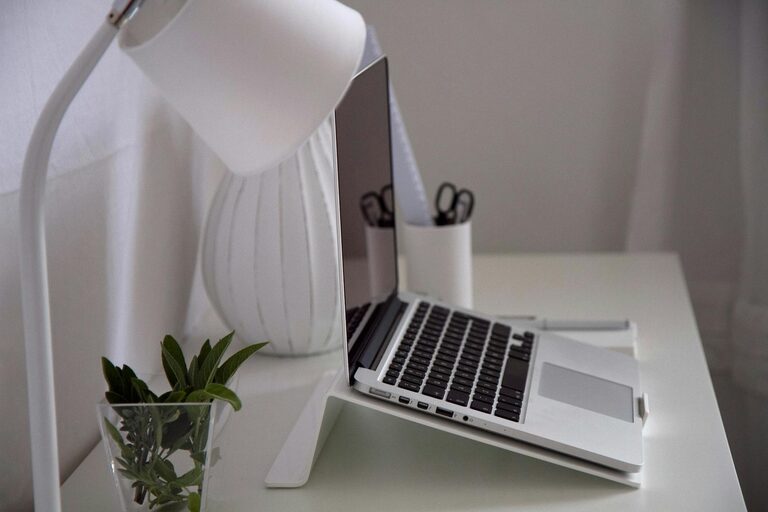
Creating a productive home workspace is essential for anyone working or studying from home. With more people embracing remote work, having a dedicated and well-organised area can make a significant difference to your focus and efficiency. In this guide, we’ll explore practical tips to help you organise a home workspace that promotes productivity and comfort.
Why a Dedicated Workspace Matters
Setting up a specific area for work at home helps create a mental boundary between professional and personal life. It encourages focus, reduces distractions, and signals to yourself and others that this space is for work. Even small changes can improve your work environment dramatically.
Choose the Right Location
Consider Natural Light
Where possible, select a workspace near a window to benefit from natural light. Natural daylight helps regulate mood and energy levels, making it easier to stay alert throughout the day.
Minimise Noise and Distractions
Choose a quiet corner away from household noise such as the television, kitchen, or high-traffic areas. Using noise-cancelling headphones or white noise machines can also help maintain focus.
Ensure Adequate Space
Your workspace should have enough room for your computer, essential tools, and some personal touches. Cluttered or cramped spaces can reduce productivity and increase stress.
Invest in Comfortable and Functional Furniture
Ergonomic Chair and Desk
Select a chair that supports your back and encourages good posture. Your desk should be at a height where your elbows rest comfortably at a 90-degree angle when typing.
Monitor Positioning
Place your screen at eye level to avoid neck strain. Consider using a monitor stand or adjustable desk to find the best setup.
Storage Solutions
Use shelves, filing cabinets, or desk organisers to keep documents and stationery neat and accessible. A tidy workspace reduces distractions and saves time finding what you need.
Organise Your Workspace Efficiently
Declutter Regularly
Keep only the items relevant to your current tasks on your desk. Store or discard anything unnecessary to maintain a clean surface.
Use a System for Paperwork
Create a filing system for important papers to avoid piles building up. Label files clearly and organise by priority or project.
Utilise Digital Tools
Reduce paper clutter by digitising notes and documents. Apps for task management and calendars can keep you organised without physical clutter.
Optimise Lighting and Environment
Layer Your Lighting
Combine natural light with ambient and task lighting. A desk lamp with adjustable brightness can reduce eye strain, especially during darker hours.
Control Temperature and Air Quality
Make sure the room is well ventilated and kept at a comfortable temperature. Fresh air and a comfortable environment contribute to better concentration.
Personalise Your Workspace
Add Motivational Elements
Incorporate inspiring quotes, plants, or artwork that boost your mood and motivation.
Use Colours Wisely
Choose calming colours like blues and greens for your walls or accessories, which can reduce stress and improve concentration.
Keep It Personal But Professional
Balance personal items with a workspace that reflects your work ethic. Too many distractions can hinder productivity.
Establish Routines and Boundaries
Set Working Hours
Define specific work hours and communicate them to family members or housemates. This helps minimise interruptions and separates work time from leisure.
Take Regular Breaks
Include short breaks during your day to stretch, hydrate, and rest your eyes. This refreshes your mind and body and prevents burnout.
Keep Work and Leisure Separate
When possible, avoid working from areas associated with relaxation, such as your bed or sofa, to maintain focus and proper posture.
Technology Tips for Your Home Workspace
Reliable Internet Connection
A fast and stable internet connection is critical for online meetings, research, and communication.
Use Quality Equipment
Invest in a good microphone, webcam, and headphones if you regularly take calls or video conferences.
Backup Your Work
Ensure that important files are backed up regularly on cloud services or external drives to avoid data loss.
Final Thoughts
Organising a productive home workspace involves more than just picking a desk and chair. It requires careful consideration of location, ergonomics, organisation, lighting, and routines. By taking the time to create a comfortable and efficient environment, you’ll find it easier to focus, work efficiently, and maintain a healthy work-life balance.
With these tips, you can transform any space into a home office that inspires productivity and supports your daily tasks. Start small, be consistent, and adapt your workspace as your needs change. Your workdays could become not only more productive but also more enjoyable.