

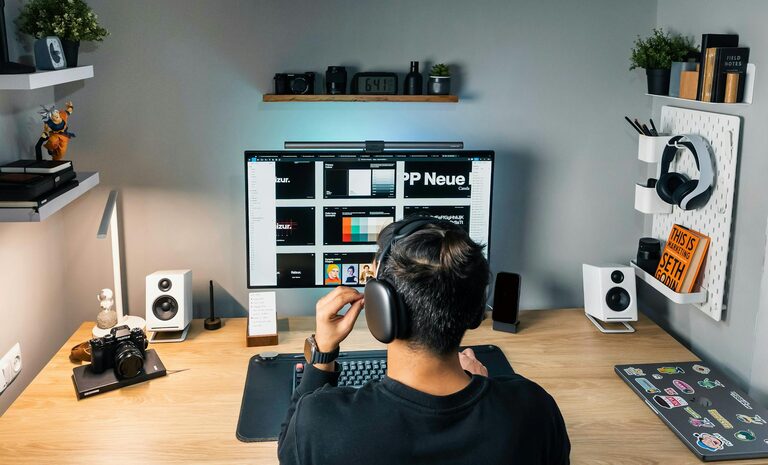
Creating a home workspace that truly suits your lifestyle can make all the difference to your daily productivity and overall wellbeing. Whether you’re working from home full-time or just need a dedicated spot for occasional tasks, an efficient and comfortable environment helps you focus, stay organised, and maintain a healthy balance. Here are some practical tips to help you design a workspace that works for you.
Understand Your Work Style and Needs
Before you start organising or buying new furniture, consider what kind of work you do and what environment helps you thrive.
– Identify your work habits: Do you prefer complete silence, or do you work better with some background noise?
– Consider your hours: When are you most productive? Morning sun by a window or a softly lit corner in the afternoon?
– Think about equipment: What tools or devices do you need close by? A desktop computer, printer, notebooks, or art supplies?
Having a clear idea of your needs prevents unnecessary clutter and ensures your space supports your workflow.
Choose the Right Location
Selecting the right spot in your home is crucial for comfort and focus.
– Quiet corners are gold: A space away from the main traffic areas of your home reduces distractions.
– Natural light matters: Position your desk near a window if possible to benefit from daylight.
– Use multi-purpose rooms wisely: If you must work in a living room or bedroom, find ways to create a distinct work zone.
If space is limited, even a small nook or part of a cupboard can be transformed into an effective workstation.
Invest in Comfortable and Functional Furniture
Your body will thank you for choosing the right furniture, especially if you spend hours working.
– Ergonomic chair: Support your back and encourage good posture to avoid discomfort.
– Suitable desk height: Your elbows should rest at approximately 90 degrees when typing or writing.
– Desk organisation tools: Use drawers, shelves or organisers to keep essentials neat and reachable.
If budget allows, adjustable desks that enable sitting and standing can add flexibility.
Keep the Space Organised and Clutter-Free
An uncluttered desk can help clear your mind and keep distractions down.
– Declutter regularly: Remove unnecessary papers, cables, and items that do not support your work.
– Use cable management: Keep wires tidy with clips or sleeves to avoid tangling or fatigue.
– Storage solutions: Use boxes, filing trays or baskets to store documents and supplies neatly.
Clear spaces are more inviting and can make starting work each day easier.
Personalise Without Overdoing It
Adding personal touches makes your workspace welcoming but it’s essential not to go overboard.
– Add plants: Small houseplants can improve air quality and add a calm, natural feel.
– Inspirational items: Photos, quotes or art pieces that motivate you.
– Keep it minimal: Avoid distractions by limiting decoration to just a few favourites.
Balance personalisation with functionality to maintain a productive atmosphere.
Mind Lighting and Noise Control
Lighting and sound affect your comfort and focus more than you might expect.
– Use layered lighting: Combine natural daylight with task lighting such as desk lamps or adjustable LED lights.
– Reduce glare: Position screens to avoid reflections and use blinds or curtains.
– Manage noise: Noise-cancelling headphones or white noise machines can help if you cannot control background noise.
Good lighting and sound conditions reduce eye strain and improve concentration.
Establish Boundaries and Routines
Creating physical and mental boundaries helps separate work from home life.
– Define your work hours: Set a schedule that suits your lifestyle and stick to it.
– Communicate with household members: Let them know when you’re busy to minimise interruptions.
– Designate workspace boundaries: Use room dividers or rugs to mark your work area clearly.
Routines and boundaries support focus and prevent work from spilling over into personal time.
Utilise Technology and Tools Wisely
Modern technology offers many tools to enhance your productivity.
– Reliable internet connection: A strong Wi-Fi or ethernet connection is a must.
– Organisational apps: Use calendars, task managers, or reminder apps to keep track of work.
– Ergonomic peripherals: Consider ergonomically designed keyboards or mouse for comfort.
Choose technology that complements your work style rather than complicates it.
Take Breaks and Move Regularly
A productive workspace also encourages healthy habits during work hours.
– Schedule breaks: Use timers or apps to remind you to step away briefly.
– Incorporate movement: Stretch, walk around, or do a few exercises to reduce stiffness.
– Change scenery: If possible, move to a different part of your home for breaks.
This balance helps maintain energy and focus throughout the day.
—
By following these tips, you can create a home workspace tailored to your lifestyle that supports productivity and wellbeing. Remember, the best workspace is one that fits how you work and live, helping you feel comfortable, focused, and organised each day.